
Brandle has a rich tagging system that allows you to define how you want to work and what you need to report on to deliver strong digital governance and social media security to your corporation. Tags can be applied to both POPs and Contacts, so it is important to understand what you want to accomplish using tags in each of these areas. IT is also important that you document the meaning and use-case of tags (that aren't self explanatory) so they are used consistently over time. This will ensure that your reporting based on a tag filter will be accurate.
For POPs, you will want to define how your company and team may want to track, govern, and report on a single POP or group of POPs (like a brand or business unit). You may also further define a Contact with tags such as the location of the person, the brand or business unit they are attached to, or process tags such as “ex-employee” so you can see which POPs a contact was managing so you can find the new contact for future communication. Tag Categories and Tags are all in the same place and are not segment by POP or Contact tags; so you would be applying the same Tag of a Business Unit to a POP and to a Contact. This is your corporate tag strategy.
Brandle Default Tag Categories and Tags
Brandle has several Tag Categories and Tags prepared for your use at the start of your account creation. They are location based (country and region) and process based (audit process). You will want to review these tags to see which ones you wish to use and which ones you can delete if you will not use them. For example, Brandle has a list of all countries as tags, but perhaps your corporation does not operate in all countries: you will want to delete the superfluous countries.
Here are the default Tag Categories:
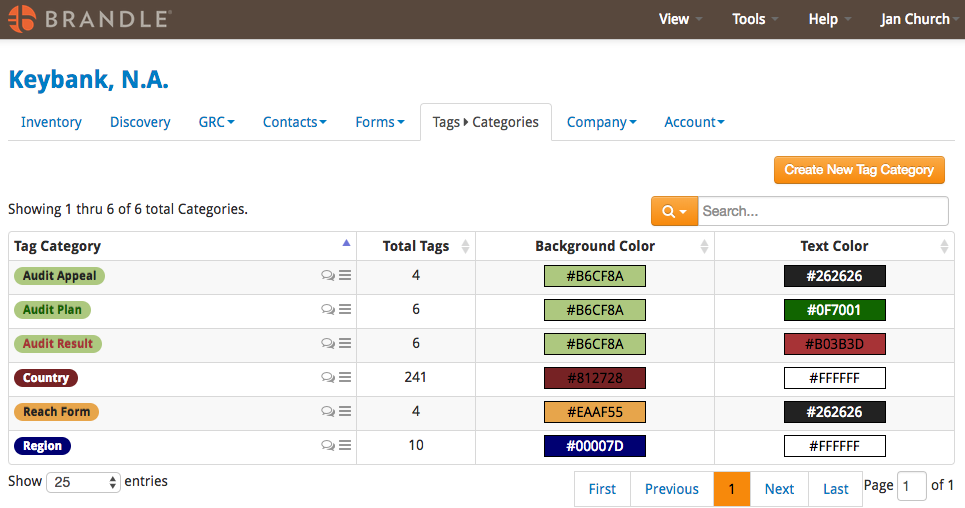
The Reach Form tag should not be deleted until you understand Campaigns and Forms and see how the tagging system works with these forms.
The Audit Tags for the above Audit Categories are:
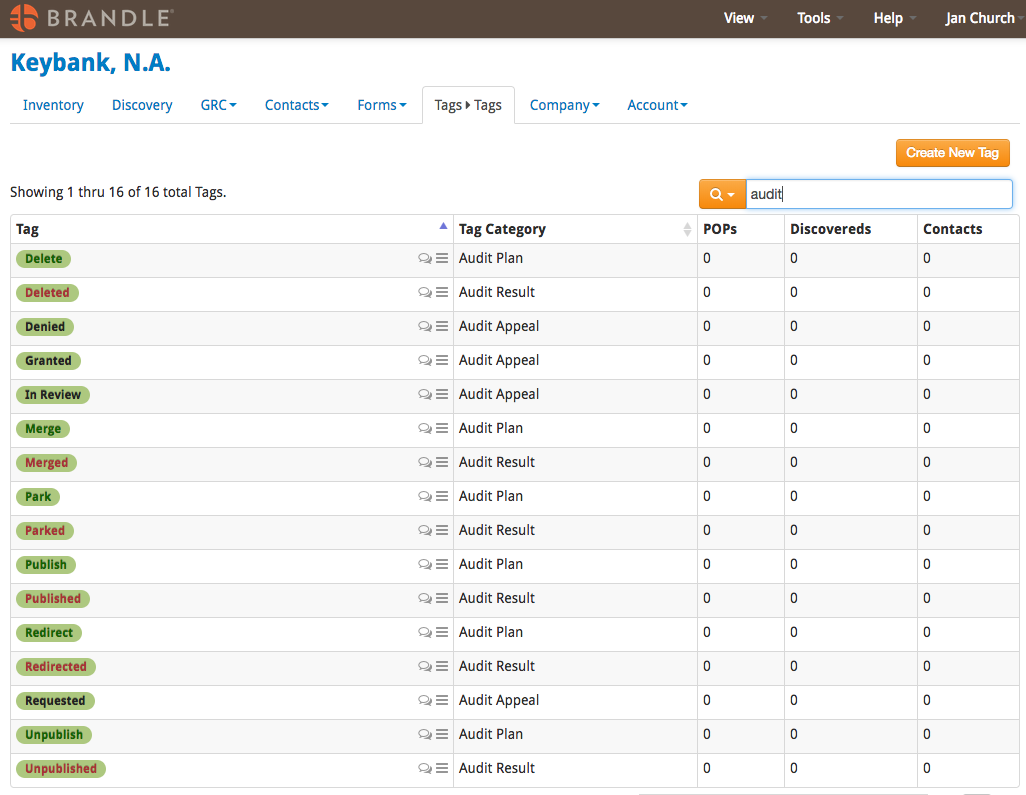
You may get some ideas from this list of how you can use tags to process work and communicate that process to other team members. If you prefer different language, feel free to change the Tags by clicking the 3-bar action menu to edit the name. However, if you know you do not want to use a specific tag, do delete it so other team members aren't tempted to apply it in the future.
Tags for POPs
Each corporation has a different management structure, but almost all companies have a need to tag POPs for the business unit, geographic region, and brand the POP represents or associates with. Additionally, the Administrator and Governance team will want to apply governance-type tags that assist with the process of auditing and governing your global social footprint.
Developing your tag strategy is an important process as it will help you create the strongest reports to govern, manage, and measure your digital footprint (including all of those people who associate with your company and brands). It’s worth the time to consider what reports and processes you will need monthly, quarterly, or as a matter of process (such as creating a report on all of the POPs that need to be merged into a Facebook Global Pages account).
Attached is a document that contains tables of Tag Categories and Tags that may be helpful to you. This is not a suggestion to create all of these Tag Categories and Tags (unless they are all meaningful to your business and process), but is meant to offer ideas on how a tag strategy might work for you, your team, and your company.
For a detailed description and ideas for setting Tag Categories, download the Brandle Tag Strategy document below.
Comments
0 comments
Please sign in to leave a comment.