
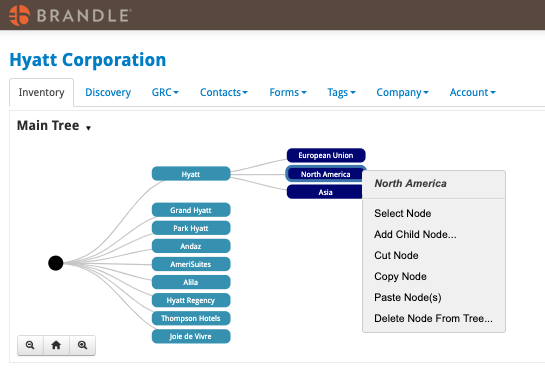
Populating and changing Tags in your Tag Trees is easy as Select, Cut, copy or Paste. The key thing to remember is that you will need to specifically select the action you are seeking. however, Menu options are slightly different depending on which node you have selected — a Root node (first), a sub-tree node (middle) or a last Child node.
From a Sub-Tree Node, you can select to highlight, cut, copy, move or clone a Sub-Tree (and paste if you have already cut or copied).
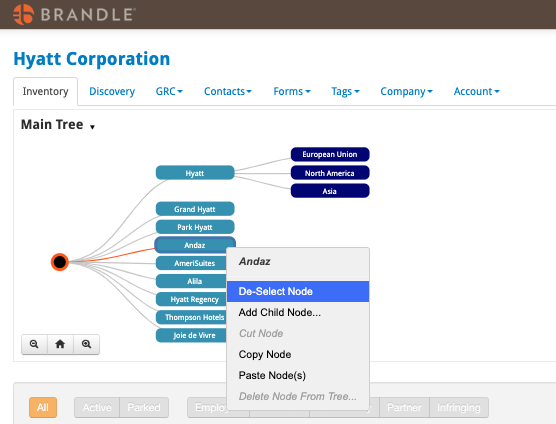
De-selecting a Node
Selecting a node highlights this node and the connecting parent and root node so you can see all the POPs in the chain that relate to the specific tree. All the POPs that are associated with these Tags will be listed in the Inventory table. To change the table filter, you must choose to De-Select the node.
Comments
0 comments
Please sign in to leave a comment.