
There is a Main Tag Tree that is your top-level administrative view of your entire organization (or however you need to organize and view your social media governance). The Main Tree begins with a Main Root (the black circle). The Main Root can not be deleted as this is your default Tag Tree. Some companies create their Tag trees to reflect the corporation by Business Unit and then the brands within the BU underneath. Other companies may organize by brand or even by region. You will want to reflect your management and reporting construct in your Main Tree. The Main Tree should be the view that is comprehensive for the Administrator and management.
If you have not yet started a Main Tag Tree, this is how it will look once you select to View Tag Tree.
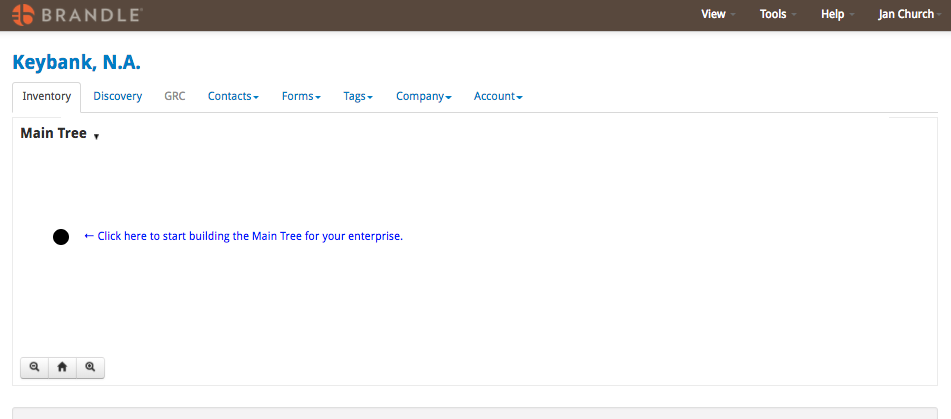
To add your first sub-node to the Main tree, just click the black dot and then select the Tag that is your top-level tag. And keep on building by clicking each node and taking action.
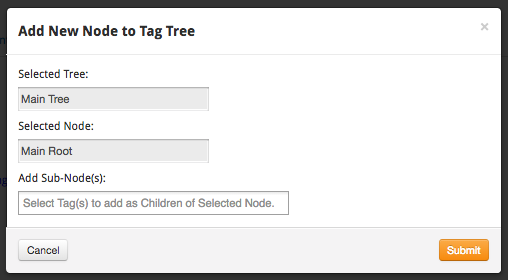
Creating a New Tag Tree
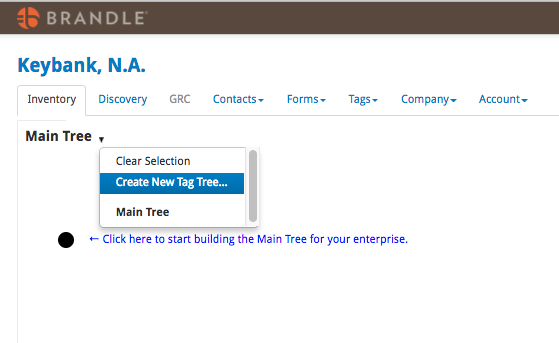
Most companies want different Tag Trees to be able to view and filter their Inventory in different ways. You may want views by business unit, specific regions, or a brands. You can accomplish this by creating different Tag Trees. Just select the down arrow next to the Main Tree title and select create new Tag Tree. Then choose your Root Node and name your Tag Tree. Reminder: you create new Tags in the Tags tab in Brandle.
Learn the different Tag Tree Actions.
Comments
0 comments
Please sign in to leave a comment.