
The Account/Settings area is where your basic corporate account set-up resides.
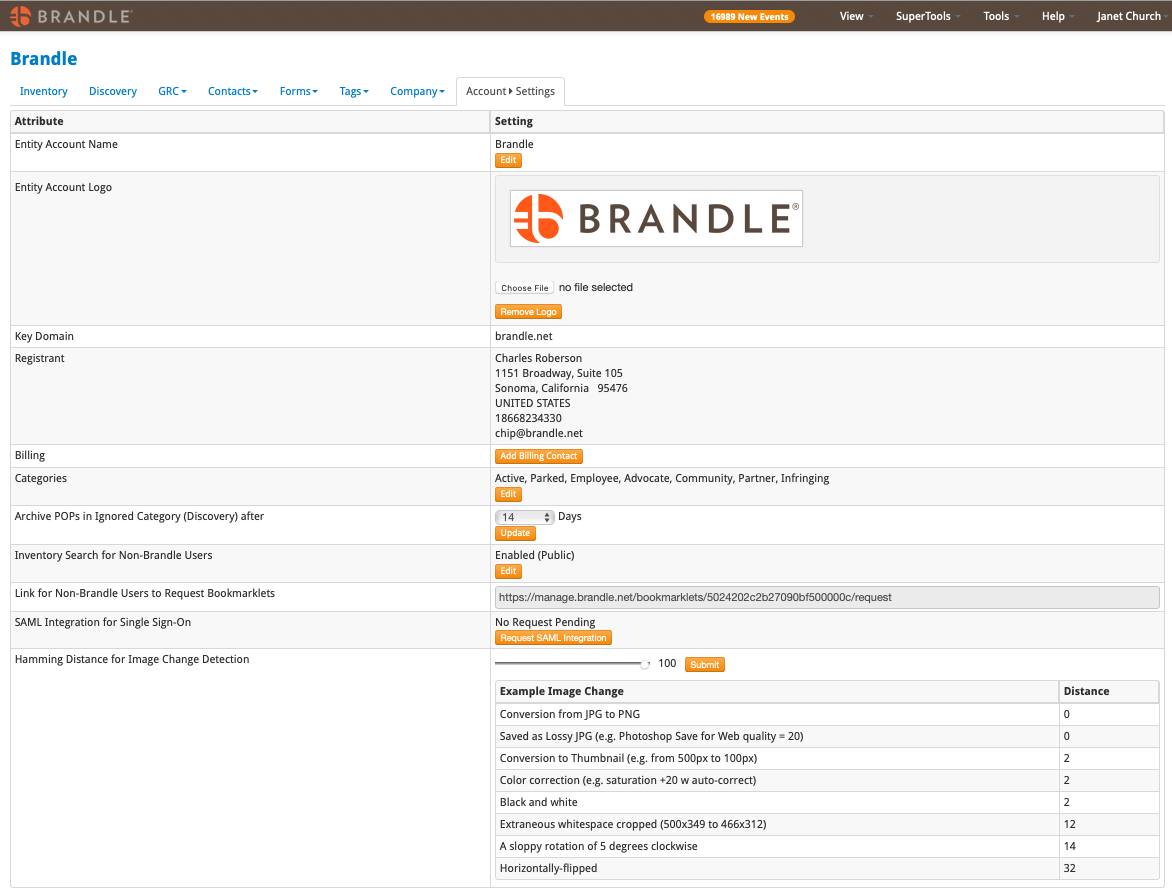
This area houses:
Entity Account Name - Generally the name of your corporation. Do not change this without consulting your Brandle Ambassador as it may initiate an unintended change to your account.
Corporate Logo - Upload your logo here so it is displayed on all Forms and Reports.
Domain - The key domain name that is driving your account and Discovery.
Registrant - Account Registrant
Billing Contact
Categories - This is where you change the names of your Categories for your Inventory by selecting Edit.
Archived Ignored POPs - This is where you set the number of days (0-30 days) that you would like the POPs that you place in the Ignored area to still be available for your review. After the period you set, the Ignored area will be cleared of POPs and the URLs of those POPs will remain in an inaccessible database of your account. This allows database cleanliness, supports GDPR, and still retains the URL data so you never have to review that POP again.
Inventory Search for Non-Brandle Users - This is a great tool for employee or partner look-up of POPs in yourInventory. If they don't find one of their POPs, they can then submit it to the Brandle corporate account via an attached form.
SAML Integration - If your company would like to license SAML integration, contact your Brandle Ambassador.
Hamming Distance for Image Change Detection - This is so you can set the sensitivity of networks reporting Profile changes on images. For example, you may not care about the same exact image changing file type, and you would prefer not to receive a Profile Change Alert on this.
Comments
0 comments
Please sign in to leave a comment.