
POP Notes are a great way to record important information about a point-of-presence for future reference. However, sometimes you need to share that information with a team member or even a user who does not have access to the Brandle Presence Manager. Brandle has a solution for that - you can email a note to any Contact in the system.
You can send a POP note from the Inventory, GRC or Discovery tables.
To get started open the notes for a POP but click on the note icon:

When the notes box opens you can choose to "Email this note to someone" by clicking the box at the top of the window:
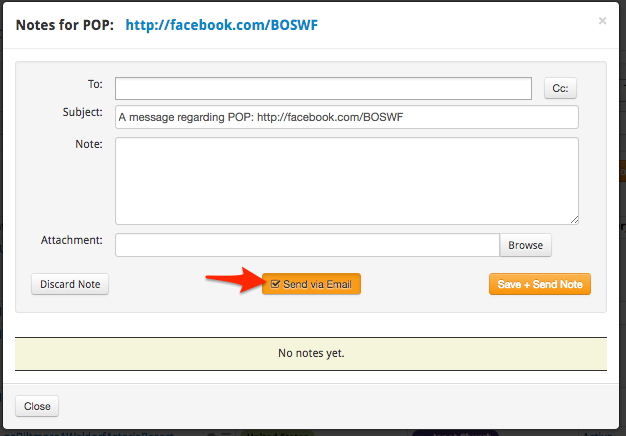
That will reveal two more input boxes to enter a recipient and subject line. For the recipient you can start typing the name of a Contact already in the system or enter a new email address. If you enter an email address that is not in the Contacts database, the Brandle Presence Manager will create a new Contact for that email address. (If you do this, be sure to go into the People area of the Contacts tab later and complete the other fields of information for the person you just added). You can also choose to CC other people by clicking the CC box.
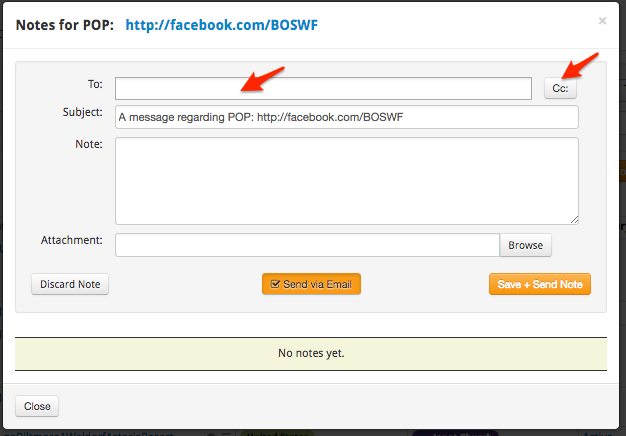
Type your message and click "Save + Send Note". The note will be stored with the POP and a copy sent to the recipient(s) as an email message.
The notes that you send become a historical record of communication about that specific point-of-presence.
Comments
0 comments
Please sign in to leave a comment.