
Discovery is the process by which the Brandle Presence Manager searches and finds new points-of-presence (POPs) which appear to be related to some aspect of your enterprise.
On account creation, the Brandle Presence Manager begins searching the web to discover POPs which appear to be related to your enterprise. As each candidate POP is found, the system grades it (using our proprietary ProfileRank) on how closely it matches the corporate profile it has automatically compiled on your enterprise.
If the POP's fingerprint matches the corporate profile it is generally moved into Discovery; otherwise it is ignored. The one exception is when a domain is discovered during the initial discovery phase. In that case, if the domain is an exact match to the corporate profile then it is placed directly into the corporate Inventory rather than Discovery.
Discovery does not stop after account creation. Any time a user introduces a new identity (e.g. by adding a new POP to the inventory), the Brandle Presence Manager may relaunch the discovery and grading processes if that POP introduces new information to the corporate profile.
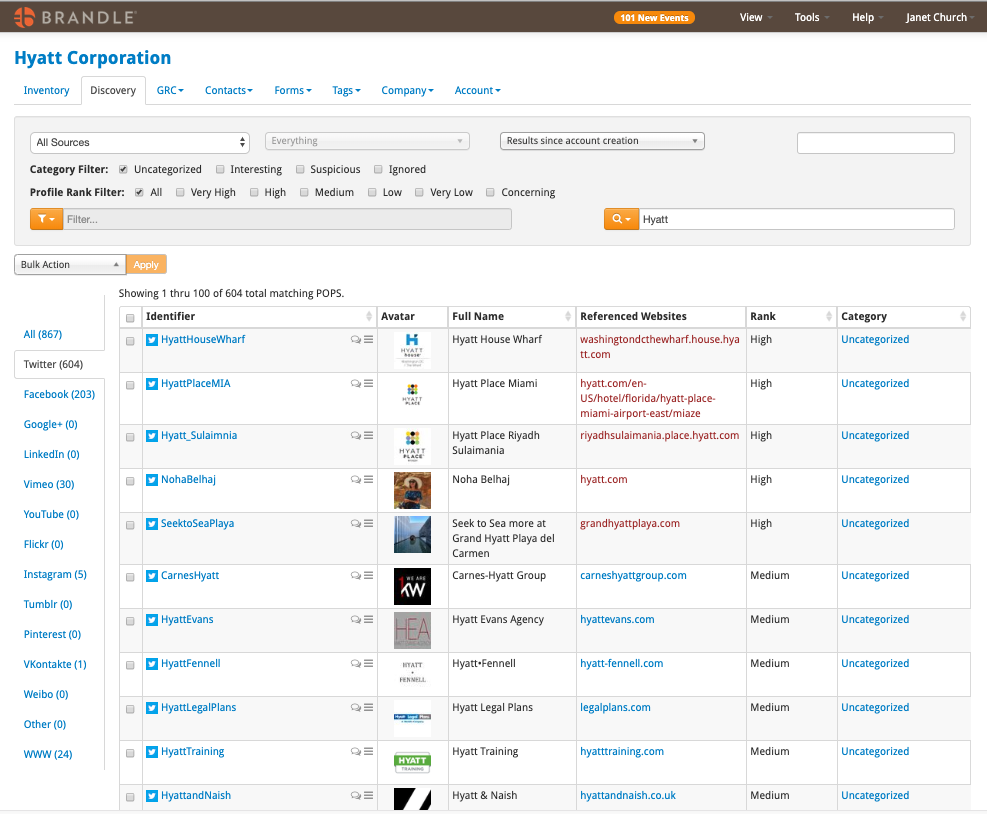
The Discovery Tab is the location in the Brandle Presence Manager where all discovered POPs are presented so you can manage the triage process.
The discovery Tab allows you to Search for specific information on POPs, have different Table Views, Review Discovery by Source, Review Discovery by Profile Rank, and process the POPs by categorizing, Tagging or applying Contacts (in the Tags and Contacts View).
Comments
0 comments
Please sign in to leave a comment.