
Triage is the process of evaluating and categorizing the POPs found in Discovery. We call it “triage” because it is a critical step to managing your Brandle accounts inventory. The more you can tell the Brandle Presence Manager about your trademarks, IP, and relationships, the stronger the Brandle Discovery algorithm will work for you!
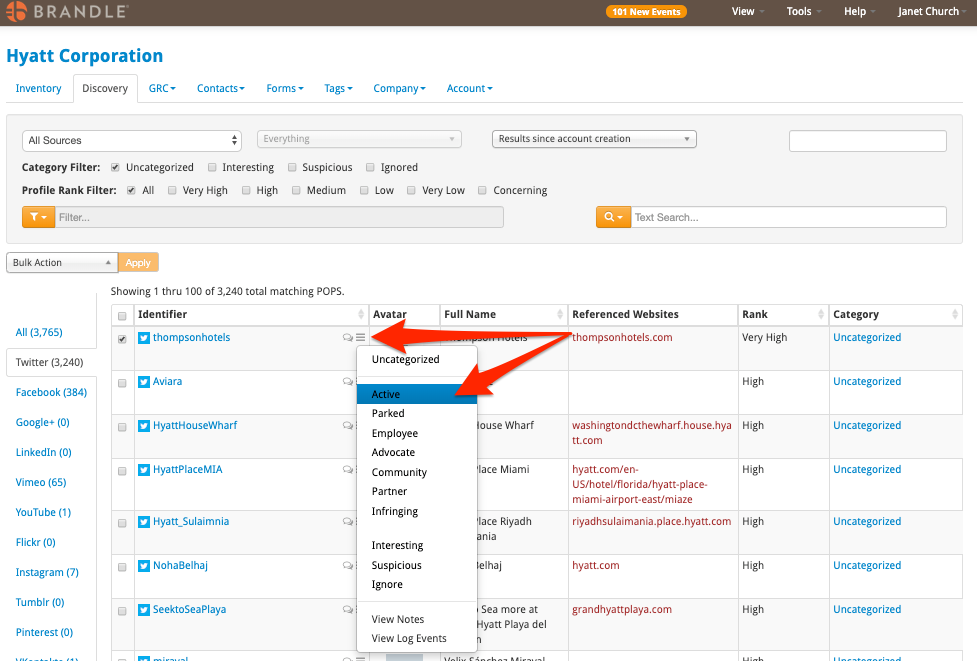
You can triage (or categorize) your POPs one by one or as a bulk action. To categorize a single POP at a time, just select the three-bar action menu beside the POP and choose the category.
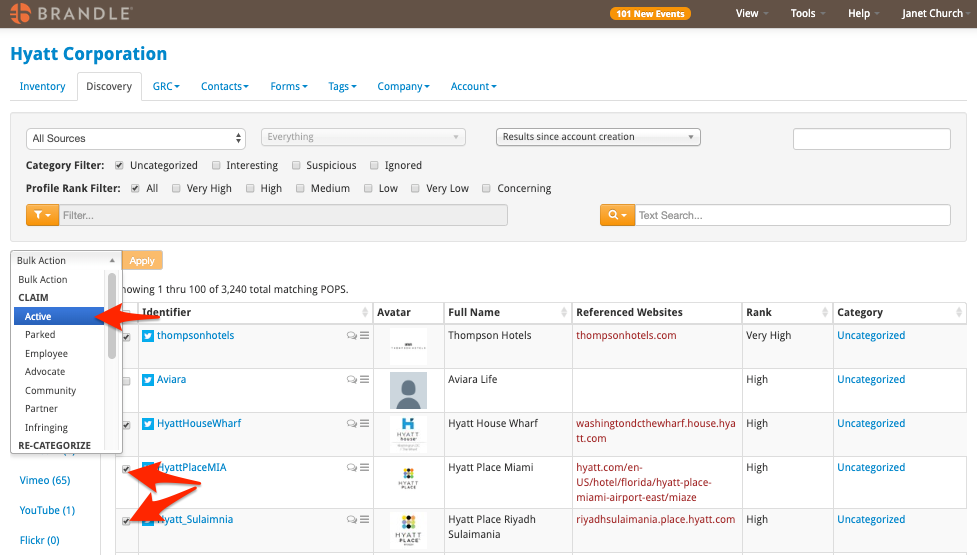
For faster bulk categorization of multiple POPs on a page, just check the POPs to be categorized, select the category in the bulk action drop down menu, and click Apply.
The Categories shown below are the Brandle default Categories. Your Administrator may have titled categories differently. If you are unclear on the category definitions, be sure to ask your Administrator before you begin.
Also, you have an option of placing POPs in Interesting or Suspicious, which are holding areas within Discovery. This helpful when you wish to clear out Discovery, but are unsure of certain POPs.
Applying Notes, Tags, or Contacts
You can also apply additional information to a POP. If you wish to apply a Tag and or Contact to a POP before moving to Inventory, select the Tags and Contacts View to easily access these columns.
You can also jot a Note, which will be date and time stamped for an historical record. The Note can be accessed by clicking the chat bubble next to the three-bar action menu.
Discovered or Submitted?
If Brandle has discovered a POP, it will come into Discovery as Uncategorized in the Category column. If it was submitted via a Form link or Campaign, it will say Submitted. In the case of Submitted, View the POP in the Tags and Contacts View to see who submitted it and if Tags were applied. You can also see if a Note was applied to the POP.
Data in Column is Greyed-Out
If data is greyed out, that means that someone submitted the POP and it is already in Inventory. The Action menu will ask if you want to update any information for the POP. The update will add any NEW tags or Contacts to the POP in Inventory.
Comments
0 comments
Please sign in to leave a comment.