
The Brandle Presence Manager actively monitors your points-of-presence to look for current information or changes to the POPs in your Inventory. There are four key areas of monitoring which the Brandle Presence Manager may perform:
- POP Pulse - what is the general health and status of the POP?
- Profile Change Detection - have there been changes to the POP's profile?
- Domain Registration Refresh - periodically reacquire the "Whois" data on your domains.
- GRC Monitoring (Compliance Monitoring) - a purchasable module that monitors for customized compliance.
See Also
Historical Information (deprecated)
The following information is deprecated and will be removed after the next software release.
The POP Pulse monitoring can be viewed with the Status View. The key columns are titled Reachable, Activity, and Audience in Inventory.
Profile Change Detection can be viewed in the Date of Last Profile Change column in Inventory. You can view specific changes to the profile by selecting the Action Menu of the POP and selecting View Profile Changes.
If you have purchased the GRC module, you will see any monitoring events on the POP table by selecting the Conditions & Issues View and reviewing the Conditions Detected and Issues Raised columns. You will also see the Date of Last Profile Change Column. If you have attached Compliance Criteria to any POPs, Brandle will also send you an email alert when a POP is out of Compliance.
Currently, Monitoring is only supported on Twitter, Facebook, LinkedIn, Instagram and VK POPs.
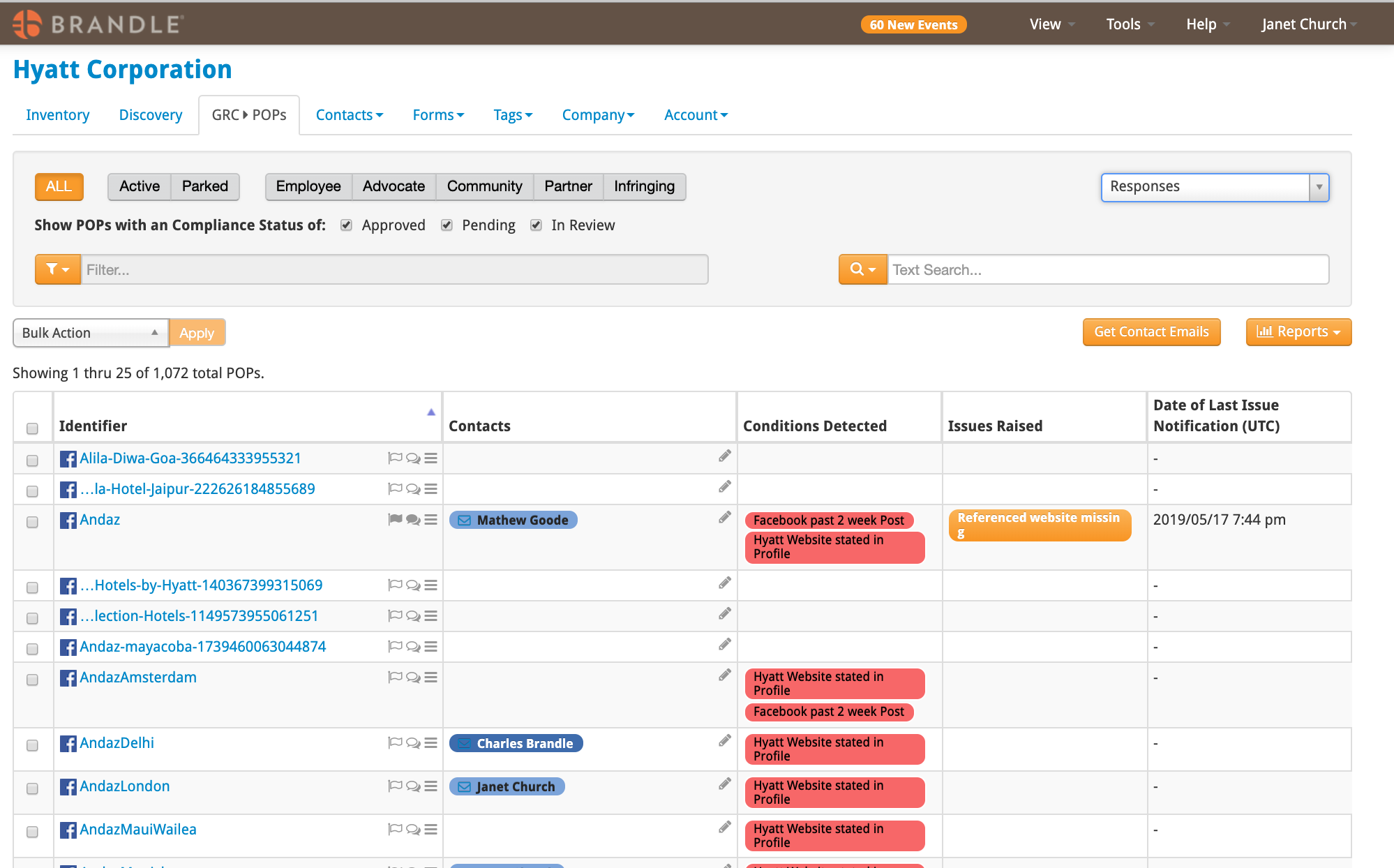
You can disable or enable criteria either manually or by automated scoping. The key rule is that you must disable a Criteria in the same way you applied it (if you applied a Criteria via scoping, then you must remove it via scoping). Learn specifics about creating, applying and disabling Criteria.
Comments
0 comments
Please sign in to leave a comment.