
The Company Tab houses in-depth information about your company Domains, Identities, Divisions/Orgs, and Places.
Domains
The Domains view is detailed information about the Domains that are in your Inventory. This includes the domains that Brandle pulled in from our DNS lookup to start the company account as well as the domains, websites, and blogs that you have uploaded into your Inventory or categorized from Discovery. This information is likely of most interest to the people who manage your domain registry.
Identities
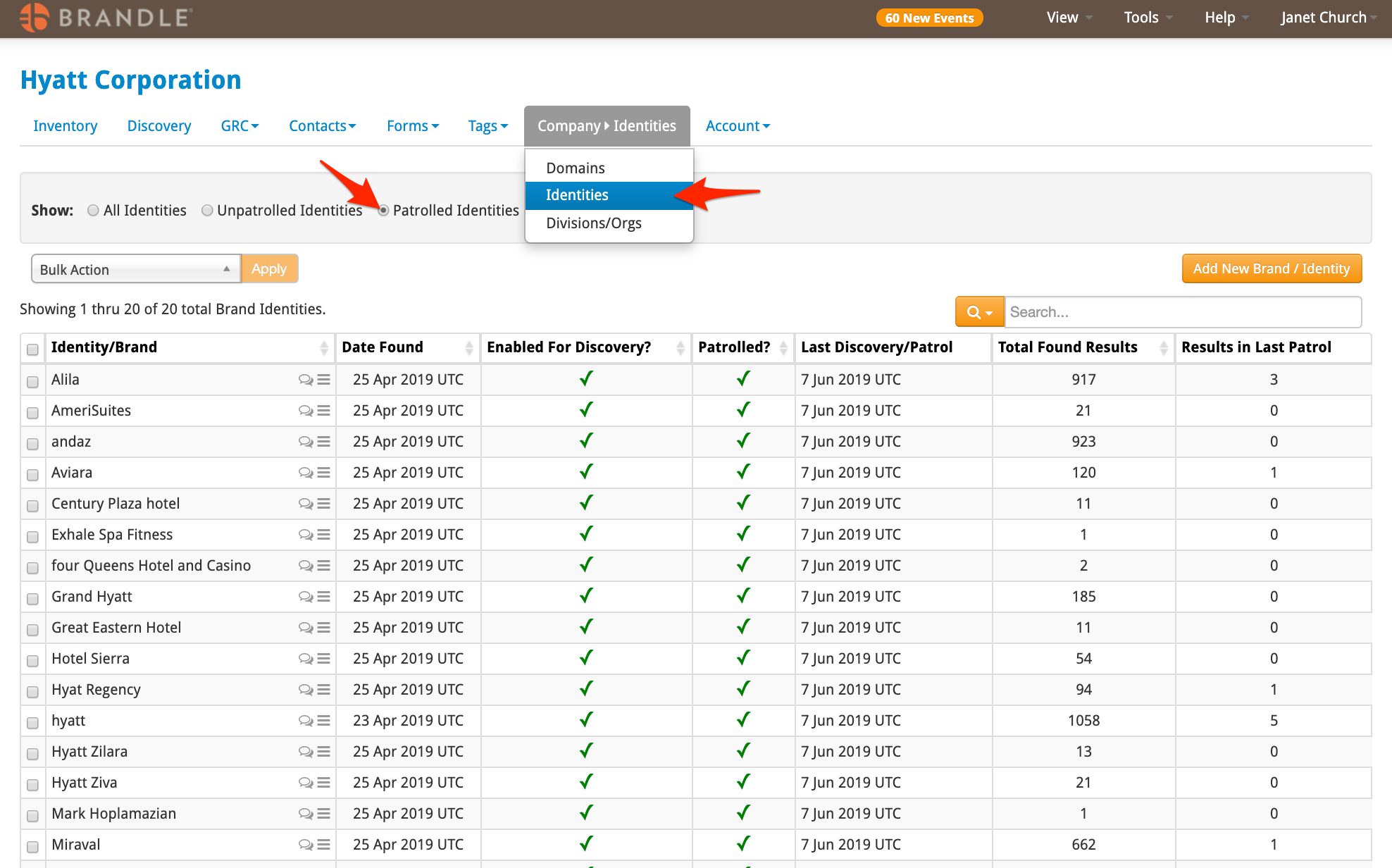
The view below show the Identities section. This area houses all of the identities used in your corporate profile to activate Discovery and Brand Patrol. If your company has licensed Brand Patrolled, this function is turned on in this tab. Select Patrolled Identities to see the items that have been placed in Brand Patrol.
Divisions/Orgs
This is where you list the Divisions and Organizations you are managing within the entity. These Divisions will then be available to associate with contacts in the Contact/People tab.
Comments
0 comments
Please sign in to leave a comment.