
Only Admins and those Roles which an admin has allowed team invitation rights can invite other team members, create roles and apply permissions and scope. A Scope limits a user to a particular area of the Inventory, for example, by region or by brand.
If you wish to apply a Scope to a particular user you apply that scope in the Account/Team tab. The team member must already have been invited into the account and assigned a role, but you can apply the scope before the user has accepted the invitation.
To apply a scope, go to the individual and select the pencil to edit Permissions Scope. Scoping is achieved by applying a Tag.
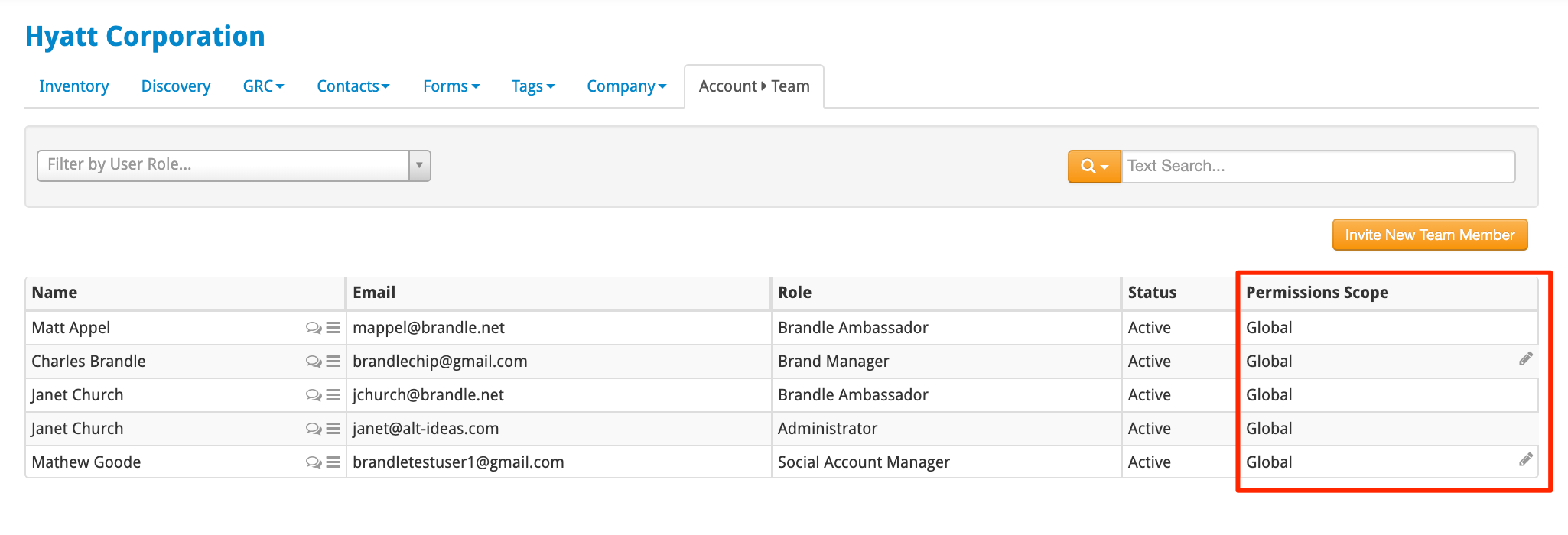
You may wish to apply a scope for a region, a country or a brand for that individual. Once applied, the user can only work on POPs that have that particular Tag associated.
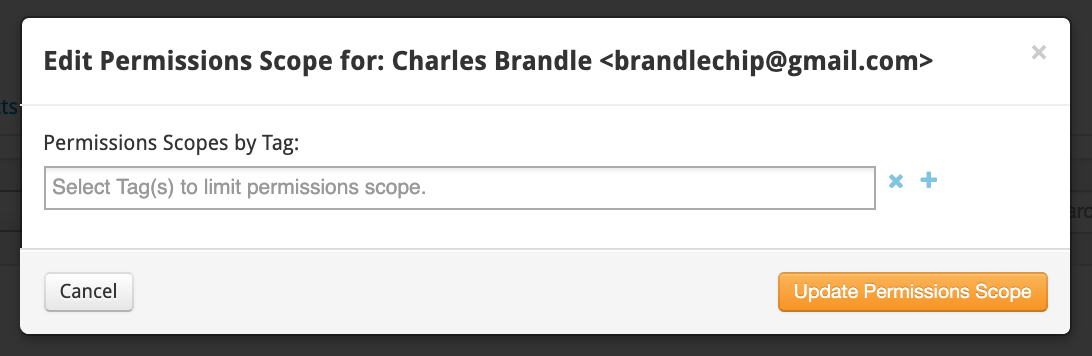
Be sure to click Update Permissions Scope.
If you choose to scope individuals, it becomes very critical to ensure accurate tagging of all of your POPS to ensure each team member can perform the work assigned.
Comments
0 comments
Please sign in to leave a comment.